Warnings and WatchoutsUpdated 2 months ago
.png)
Your Predictive Thermometer is built to live in an oven, on a grill, and in the dishwasher. A few things will still damage it, and most of them are avoidable once you know about them.
Temperature limits
The thermometer has two zones with very different tolerances. The minimum insertion line is the boundary.
| 1st-generation | 2nd-generation | |
| Below the insertion line (the tip, inside your food) | 220°F (105°C) | 220°F (105°C) |
| Above the insertion line (toward the ceramic handle) | 600°F (315°C) | 900°F (482°C) peak |
Two things worth understanding about the 2nd-generation figure:
- 900°F is a peak, not a cruising speed. For sustained cooking, keep the upper half below 750°F (399°C). Brief excursions above that are survivable. Long ones are not.
- The tip is protected by your food. Water inside the food cannot go above boiling while there is still water present, which is why the delicate electronics live down there. This is also why the tip must be properly inserted, and why a pressure cooker is a problem (see below).
What a 733°F reading means, and what it does not
If your ambient reading stops at around 733°F (389°C), or shows no data during a very hot sear, that is the sensor reaching the top of its measuring range. It is not a sign that your thermometer is being destroyed.
This catches people out, because the reading disappearing looks alarming. It is simply the top of the scale.
What *would* be a problem is sustained cooking above 750°F, or an overheat alarm that will not clear once the thermometer has cooled.
An overheat can alarm on the device while the app shows nothing
If your Display or Giant Grill Gauge sounds an overheat alarm but the Combustion app looks normal, believe the device. Overheat events are detected on the thermometer itself and are not currently sent over Bluetooth to the app.
This is not an app bug and it does not mean the alarm was false. Take the food off the heat and work through the Overheat Alarm article.
Never microwave it
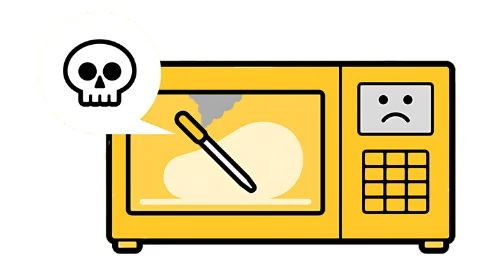
Not for a second, not on low, not to warm something up with the thermometer still in it.
The thermometer is largely metal, and its antenna is tuned to almost exactly the frequency a microwave uses. The result is plasma. It is more dangerous than putting a spoon in there.
The same applies to a trivection oven, which contains a microwave. Its door also carries a fine mesh screen that blocks Bluetooth, so even with the microwave function off, you will struggle to get a signal out.
Never quench it
Quenching means putting a hot thermometer straight into cold water. The thermal shock can crack or shatter the ceramic handle, the same way it would a Pyrex dish.
- Let it cool, ideally to room temperature, before soaking or washing
- Soaking to lift stuck-on food is fine once it is cool
- Putting it in the fridge after a cook is fine, because the heat transfer is far slower
Use a standard 5V USB charger
Any standard 5V USB port using your own USB-C cable. A phone charger is a safe bet.
Avoid "quick charge" and other non-standard USB ports. These rely on the device to negotiate voltage, and that part of the industry is barely regulated. Most are fine, but we cannot guarantee it, and the failure mode is your charger cooking itself to protect the thermometer.
One specific warning: some ThermoWorks chargers deliver 12V. That will destroy any Combustion tool, and most other things you plug into it. Use it only with the product it came with.
Do not put it directly in oil or in a pressure cooker
Deep frying is fine as long as the thermometer is inserted in the food. Putting it straight into hot oil is not recommended and will damage the sensors.
Pressure cookers are out. Pressure raises the boiling point of water to about 248°F (120°C), so the water in your food can no longer keep the tip below its 220°F limit.
Insert it properly
Most overheat alarms are an insertion problem rather than a hardware fault.
- Insert to at least the minimum line, about 2 inches (50 mm). It is clearly marked.
- Keep the handle end out of direct flame and away from the hottest part of the grill
- Do not push the tip all the way through the food into open heat
- If you wrap food in foil, keep the handle outside the foil
After an overheat at the handle end
If the upper sensors have been overheated, the seal inside the handle may be compromised even though the thermometer still works.
From then on, treat it as no longer waterproof:
- Hand-wash only
- Do not immerse or submerge it while cooking or cleaning
Seal damage is cumulative, and there is no way to inspect a seal without destroying the thermometer, so the safe assumption after a handle overheat is that it is no longer sealed.
Still have a question?
If you think your thermometer has been damaged, or an alarm will not clear after it has fully cooled, email [email protected] and include:
- Which generation you have, 1st or 2nd
- What you were cooking, at what temperature, and in what
- How the thermometer was inserted, with a photo if you have one
- What the Display or app showed when it happened
[Related keywords: warnings, watchouts, watch out, damage, damaged, destroyed, ruined, broke it, dont do this, avoid, never, microwave, microwaved, plasma, trivection, quench, quenched, cold water, cracked handle, cracked, shattered, thermal shock, dishwasher, charger, quick charge, fast charge, 12v, thermoworks, wrong charger, usb, 5v, oil, deep fry, deep fryer, pressure cooker, instant pot, max temp, maximum temperature, temperature limit, 220, 105, 600, 315, 900, 482, 750, 733, no data, ambient no data, reading stopped, sensor limit, overheat, overheated, overheat alarm, red alert, flashing red, screeching, app shows nothing, insertion line, min line, minimum insertion, foil, waterproof, seal, hand wash, submerge]